Ledger Flex vs Trezor Safe 3
Our Take
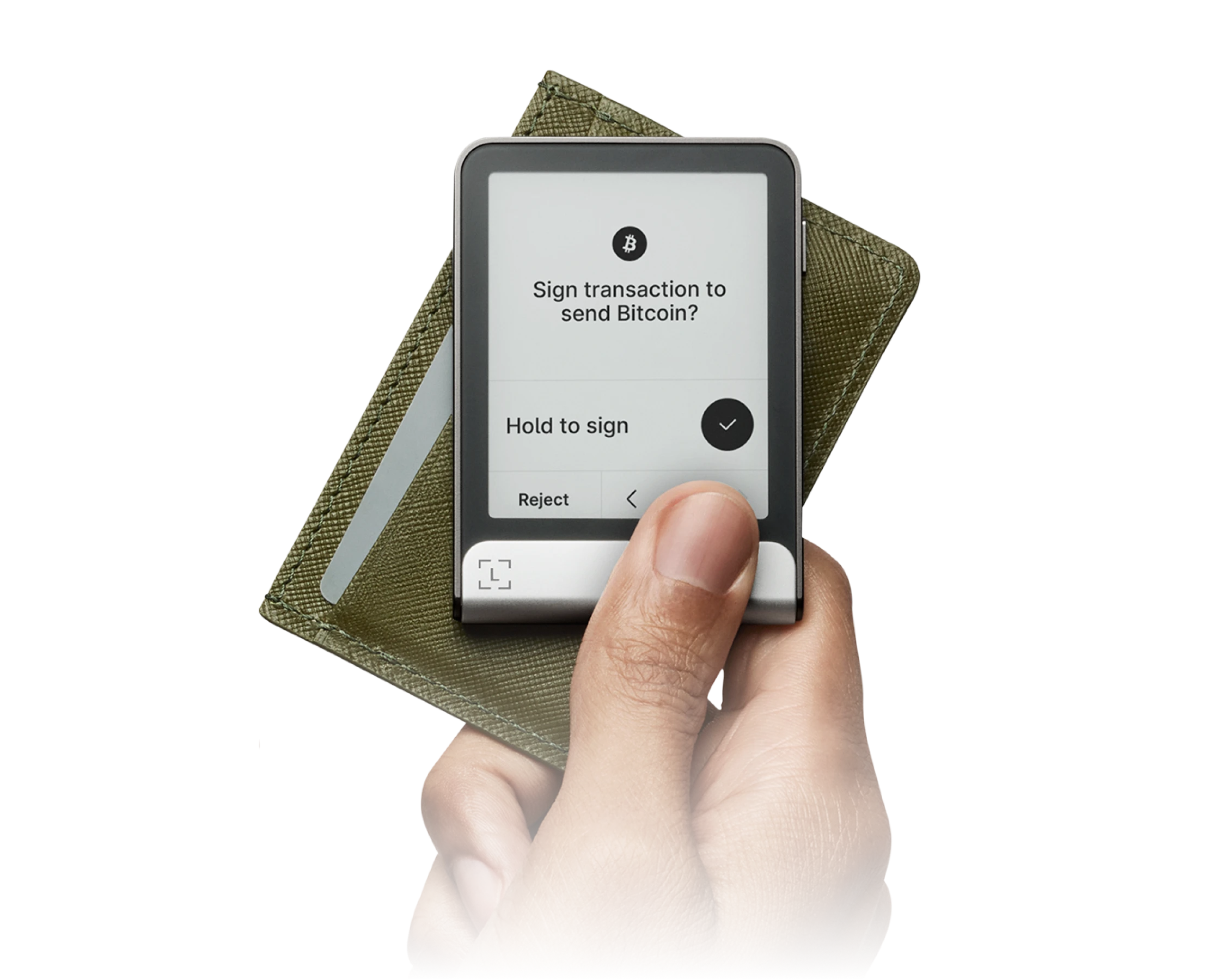
Not financial adviceThe Ledger Flex secures its position as the top choice by offering a modern hardware wallet design from a major brand. Both options list a price of 0.0 dollars and support 0 coins according to their specifications. However, the Ledger Flex provides a superior physical interface for managing transactions directly on the device. This design ensures clear visibility during verification, making it the most reliable option for daily asset management.
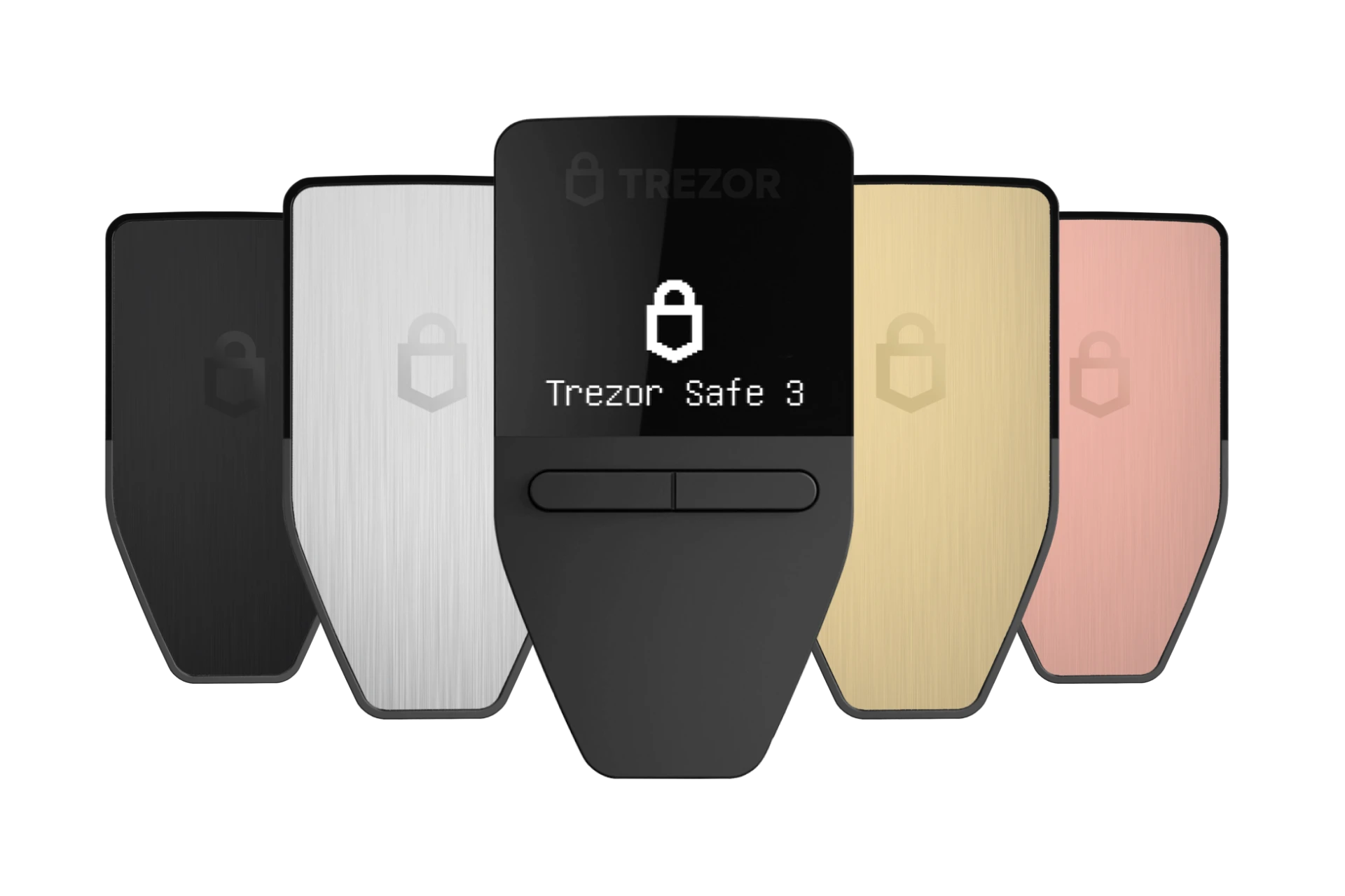
The Trezor Safe 3 serves as an excellent alternative for budget-conscious users seeking open-source security. Like its competitor, it features a price of 0.0 dollars and asset support of 0 coins in the provided data. Trezor secures this model with a protected secure element that safeguards your recovery seed. This combination of open-source firmware and physical security makes it the best fit for developers and privacy advocates.
Security
Trezor Safe 3
open-source firmware design
Asset Support
both support 0 coins
Price
both cost 0.0 dollars
Usability
Ledger Flex
superior screen interface
Check pricing directly from official stores:
At a Glance
How each wallet scores across key dimensions. Each axis is rated out of 5.
Ratings & Specs
Highlighted cell = stronger result on that metric.
Key Security Features
Ledger Flex
- CC EAL6+ Certified Secure Element
- BOLOS Operating System Architecture
- Full On-Screen Clear Signing Verification
- PIN Code Protection with Anti-Tamper Wiping
- Cryptographic Genuine Device Attestation
Trezor Safe 3
- EAL6+ Secure Element Chip
- PIN & Passphrase Protection
- Shamir Backup (SLIP39) Support
- Open-Source Firmware
- Physical Two-Button Confirmation
Pros & Cons
Ledger Flex
Pros
- •Clear, high-contrast 2.84-inch E-Ink touchscreen display
- •Certified CC EAL6+ Secure Element protection
- •Bluetooth 5.2 and NFC connectivity for mobile flexibility
- •Always-on customizable lock screen with weeks of battery standby
- •Ergonomic aluminum and polycarbonate build
Cons
- •No wireless Qi charging (charges via USB-C)
- •Firmware is partially closed-source due to Secure Element supplier NDAs
Trezor Safe 3
Pros
- •Exceptional value at an accessible price point ($79)
- •EAL6+ certified Secure Element chip protects against physical extraction
- •Modern USB-C connectivity
- •Supports Shamir Backup (SLIP39) and broad multi-chain assets (including SOL and ADA)
- •Open-source firmware with public transparency
Cons
- •Compact monochrome screen requires scrolling for long addresses
- •Two physical buttons rather than a touchscreen interface
Frequently Asked Questions
Which is better for beginners?
Which is more secure?
Which supports more cryptocurrencies?
Is the price difference worth it?
Similar Wallets
Similar to Trezor Safe 3
Related Comparisons
Explore how Ledger Flex and Trezor Safe 3 compare against other top hardware and software wallets.